
Floor and Tiles · Documentation
Mapping
Texture coordinates of the tiles and the map channel they are written to.
Coordinates are in scene units. The top face of each element is mapped in the element's own axes, so U runs along a plank at any angle.
| Parameter | Description | Default |
|---|---|---|
| Channel | Map channel the coordinates are written to. | 1 |
| One repeat per element | Fits one texture repeat to each element, keeping the texture's proportions. A cut element gets the matching part of the repeat. | off |
| Repeat Every | Size of one texture repeat, in scene units. Disabled when One repeat per element is on. | 100 |
| Scale U / V | Additional repeats in U and V. The padlock keeps V equal to U. Negative values mirror. | 1, locked |
| Offset U / V | Texture offset, in repeats. | 0 |
| Flip U / Flip V | Mirrors the texture. | off |
| Shuffle per element | Applies a random offset to each element. Each element keeps its offset when the floor changes. | off |
| Rotate per element | Turns each element's texture at random about the middle of its repeat: Off, By 180 (0 / 180°) or By 90 (0 / 90 / 180 / 270°). One texture over hundreds of tiles stops repeating the same way round. Each element keeps its turn when the floor changes. | Off |
| Amount | Maximum shuffle offset, as a percentage of one repeat. | 100 |
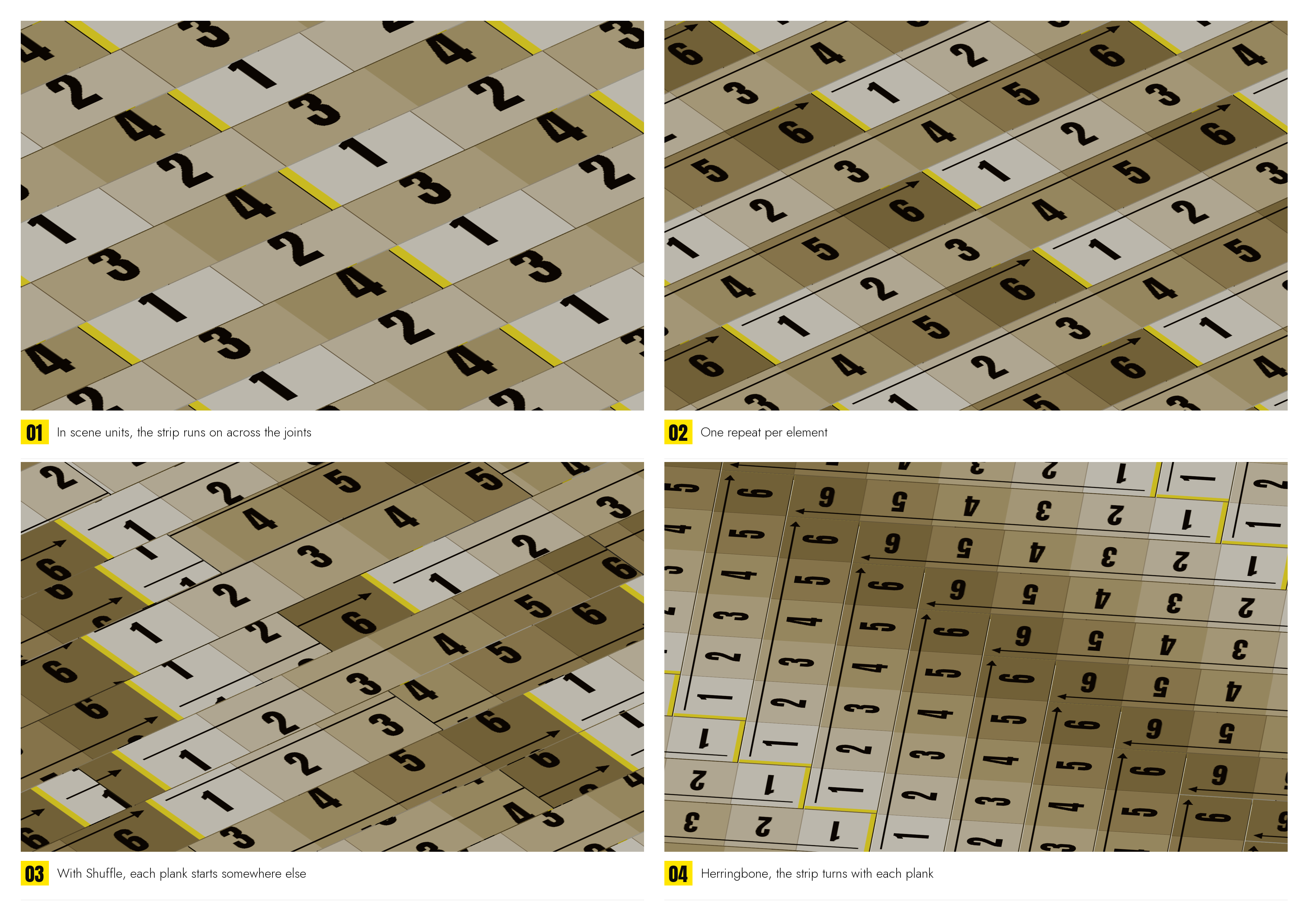
The grout surface uses the same channel, mapped flat in scene units across the whole floor.
The plugin writes one channel. For a second mapping, add a UVW Map modifier on another channel.