IMMERSIVE

Tools for 3ds Max

Gumroad Cart Ig

Floor and Tiles · Documentation

General

About the area rather than the pattern: how the floor sits in the room and how it is finished at the walls.

The mesh

Cap bottomCloses the underside of each tile. Off by default: nothing sees the underside of a floor, and capping it doubles the faces for a surface nobody looks at. Turn it on for tiles seen from below, as on a ceiling or a floor with glass in it, or for a floor exported for printing.
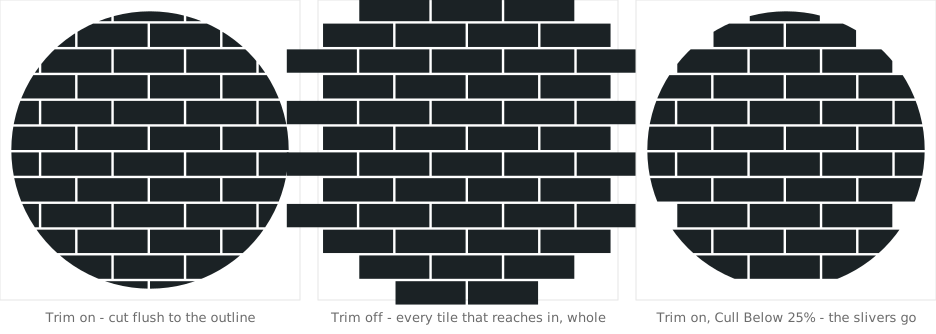
Trim tiles to outlineOn, tiles are cut flush to the outline. Off, every tile that reaches inside is laid whole and the edge is ragged, which suits a floor that will be cut by something else later, or a rug whose tiles should stay whole.
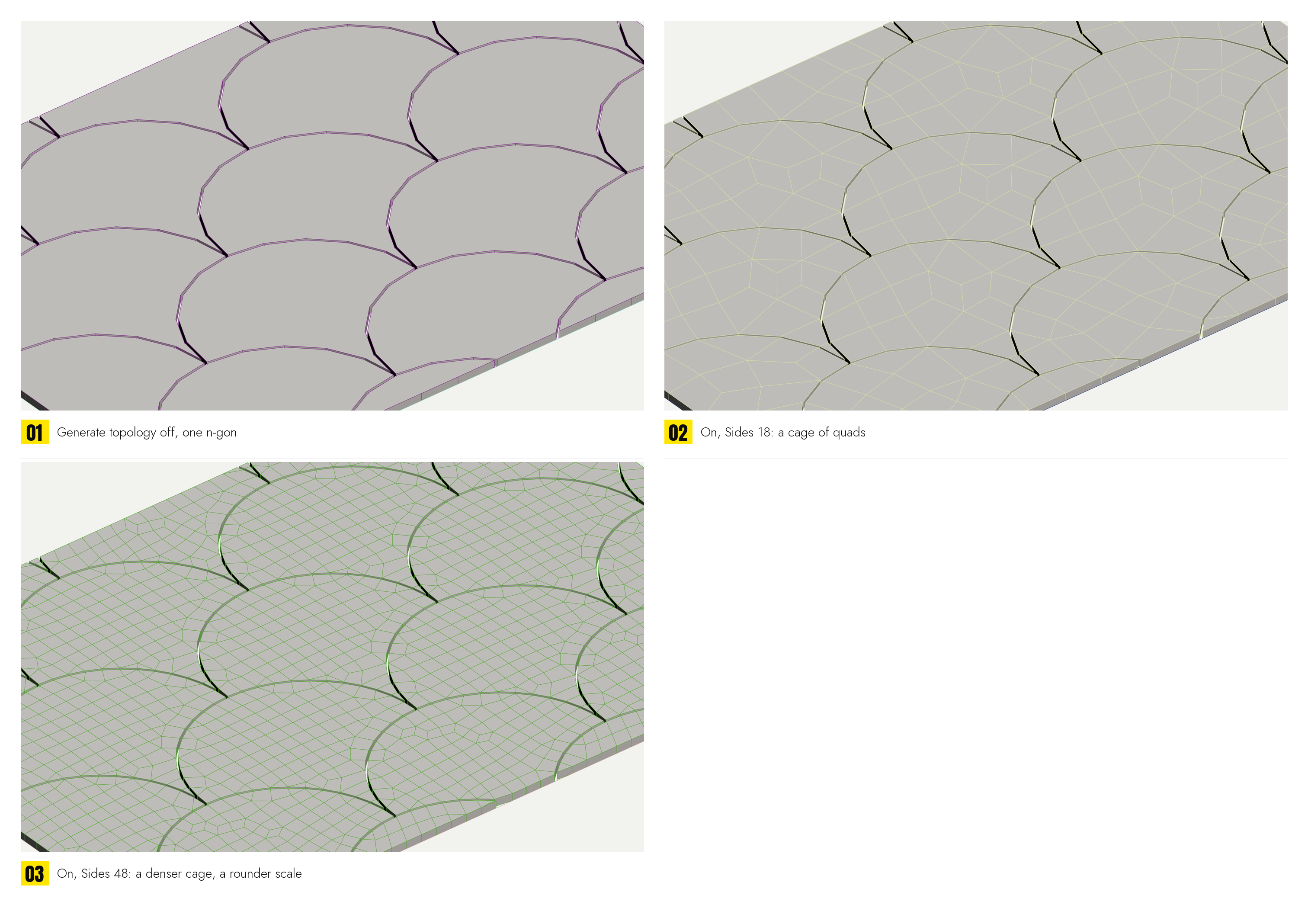
Generate topologyOn, a shaped tile's face is meshed as a cage of quads with points inside it, which is what a subdivision or a displacement wants laid over it. Off, the face is one polygon and no more; Max cuts it up to draw it and nothing is measured off that cut. Off gives the lightest floor there is.
LiftRaises the floor off the surface it stands on, along that surface's normal. 0 is on the face, which is where a floor belongs, laid on the slab rather than buried in the middle of it. Positive lifts it clear: for an underlay, or to keep it off a surface it would otherwise fight with in the render.
Cull BelowDrops any cut piece smaller than this share of the whole tile it came from, as a percentage. A sliver along a wall looks like a crack rather than a tile. 0 keeps everything.
A round floor: trimmed, untrimmed, and trimmed with the slivers culled

Where the pattern sits

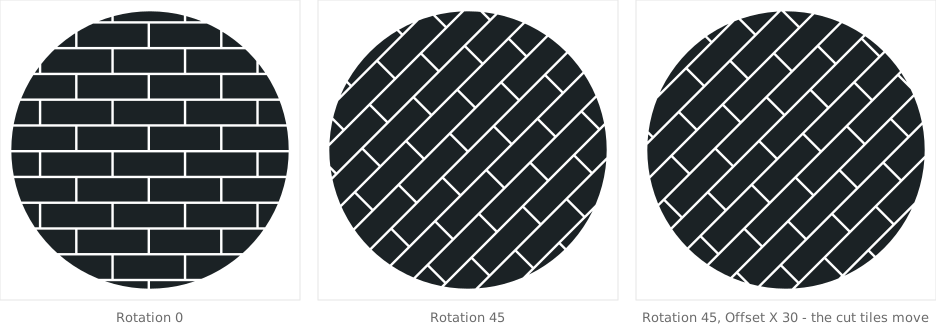
RotationTurns the pattern within the area, in degrees. Herringbone counts from its usual diagonal, so 0 gives the usual diagonal herringbone and 45 turns it square to the room.
Offset X / YSlides the pattern under the outline, in scene units along the pattern's own axes, to choose where the cut tiles land: a full tile at the door, say, or the seam of a chevron down the middle of the room. The same two numbers the origin handle drags in the viewport.
ScaleOne percentage applied to every length in the pattern at once: tile, joint, bevel, thickness and band widths. It is the way to try a floor at three quarters without editing eight spinners and then editing them back. The joint scales with the rest: a floor scaled down with its joint left behind comes back with a seam that used to be hairline and is now half a tile.
SeedRe-rolls every random draw (unlocked sizes, row offsets, board randomization, missing boards) without changing anything else. Each board's draw is fixed by its place in the pattern and by this number, so a floor keeps its look while the room changes shape.
Rotation 0, Rotation 45, and the same slid by Offset X: the cut tiles at the edge move, the pattern does not change

The plane

FlipMirrors the floor through its own plane, so it stands below the surface with its walking side down. For a ceiling, or a floor picked from a slab modelled upside down. A closed spline drawn the other way round hands back an outline facing the other way, and the floor built on it reads as a floor seen from underneath; the spline is not wrong and neither is the floor; they simply disagree, and this button is quicker than going back into the spline to reverse it. It is a button that stays down.
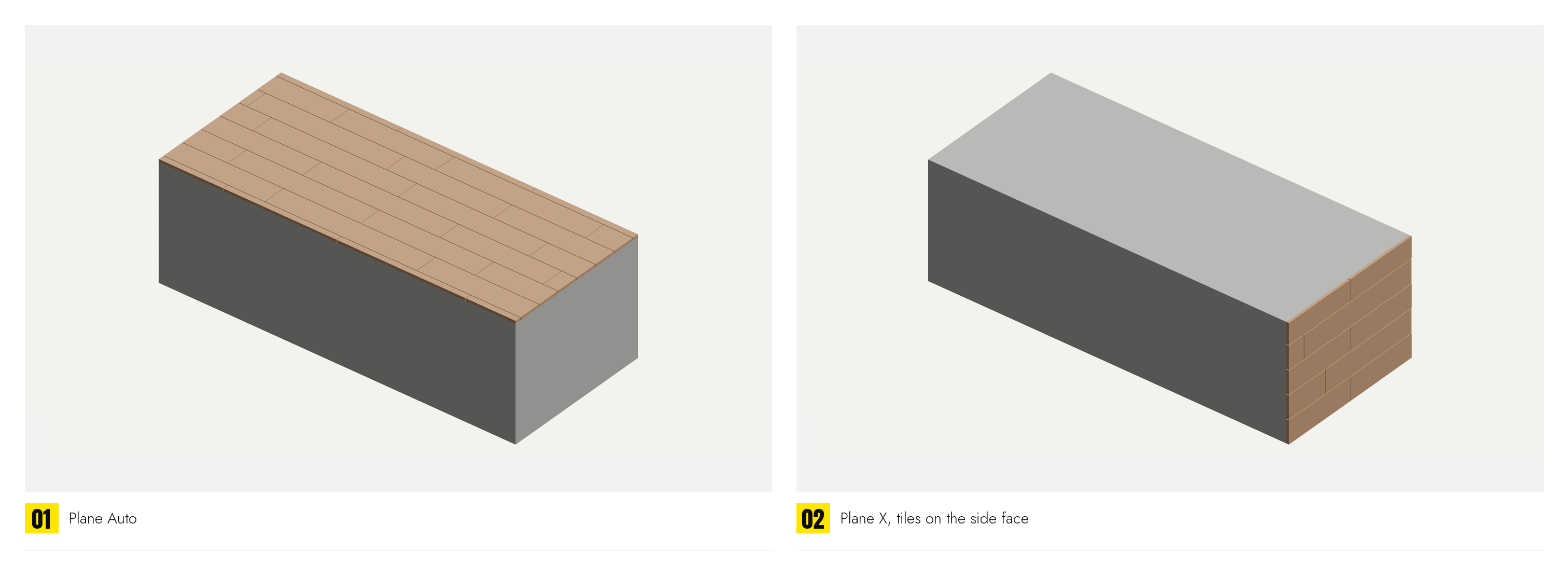
Plane › Auto / X / Y / ZWhich of the object's own planes the floor is laid on. Auto measures the object and takes the plane it covers most of, which is right for floors, walls and anything extruded. The three axes name the one standing out of the floor: Z is the ordinary case of something lying flat, X and Y a wall. Pick one by hand for an object as broad one way as another, where Auto has nothing to go on.