Floor and Tiles · Documentation
Grout
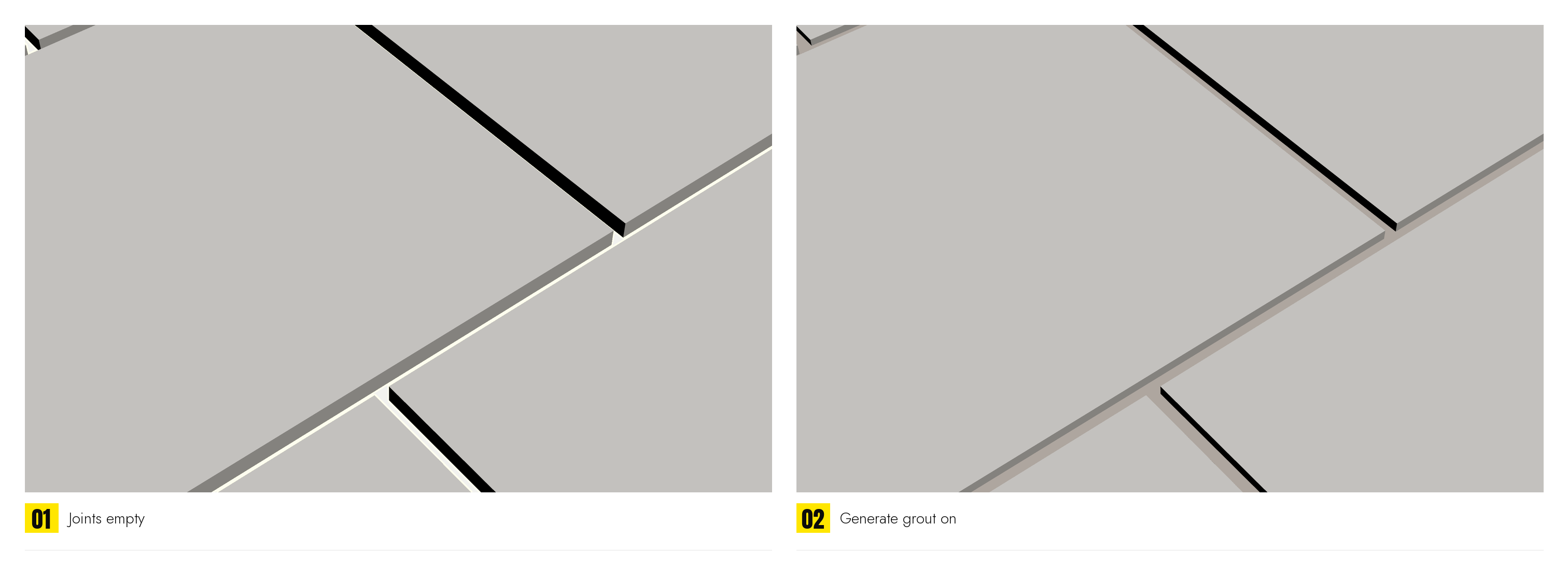
Real grout geometry under the joints, so the gap between tiles has something in it. The width of the joint itself is set in Pattern › Grout; this rollout fills it.
Off by default: the grout is one more surface in the shape of the whole floor, and a floor that is only seen from a distance, or whose joints are dark anyway, does not need it. On, it is one surface under the whole row, so it can be subdivided, displaced or painted on, laid as quads rather than a fan of long triangles.
| Generate grout | Builds a surface in the shape of the ground the tiles cover, under the joints. It gets its own material ID (Material IDs › Grout) and its own mapping channel (Mapping), so it can be textured on its own. |
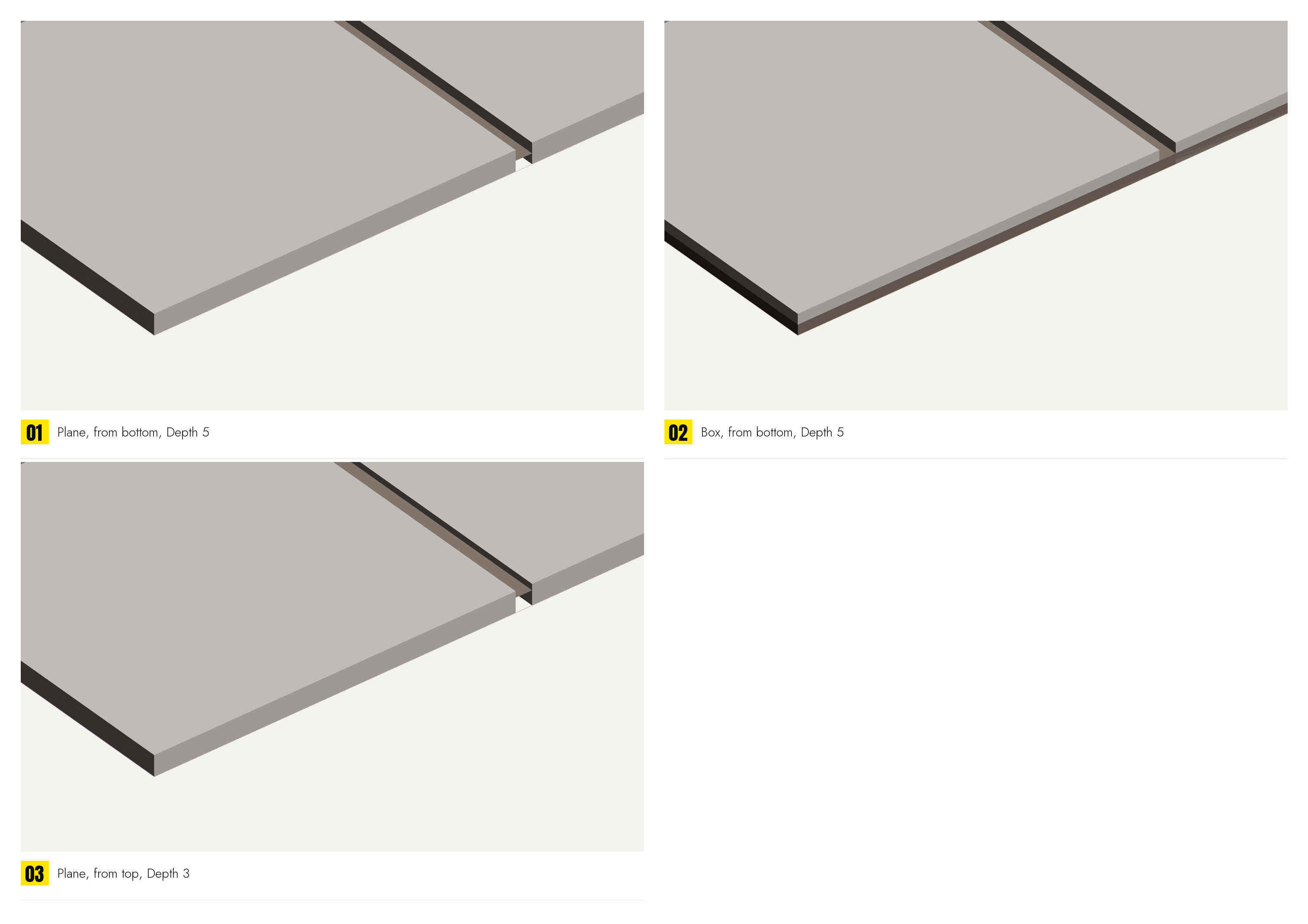
| Style | Plane: a single surface at the grout height. Box: a slab with sides, from the grout height down to the tiles' underside, closed all round. Plane is enough when the grout is only ever seen between the tiles; Box is for a floor seen from its edge, or one that is cut later. |
| Measure from | Which face of the tile Depth is counted from. Tile bottom counts up from the underside: the grout fills the joints to this height, and the number means the same whatever the tiles are made of, so changing Thickness does not drag the grout along with it. Tile top counts down from the walking surface: a bed of a known depth, with the tile's thickness part of it. |
| Depth | The distance measured that way, in scene units. From the bottom, 0 is flush with the underside; from the top, 0 is flush with the surface. With Box, the same span is the slab. |
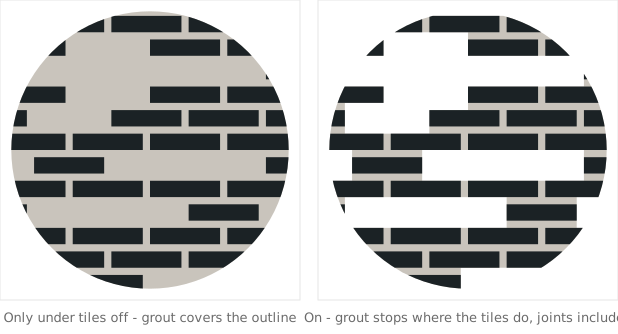
| Only under tiles | Follows the tiles' actual silhouette instead of the outline, so with boards missing there is nothing under the holes, and with Trim off (General) the grout follows the ragged edge the tiles make rather than the outline they were cut from. The joints are covered either way; grout that stopped at each tile's own edge would leave the joints bare. |
Where it goes
The grout is laid on the same plane as the tiles and turns with them: Flip, the Plane setting and the pattern's rotation in General carry over, so it never ends up facing away from the room the tiles face.
Grout and the joint: Grout in Pattern is a width and is always there; it is the space between tiles. Generate grout here is the geometry in that space. A joint of 0 leaves nothing for the grout to show through, plane or box.